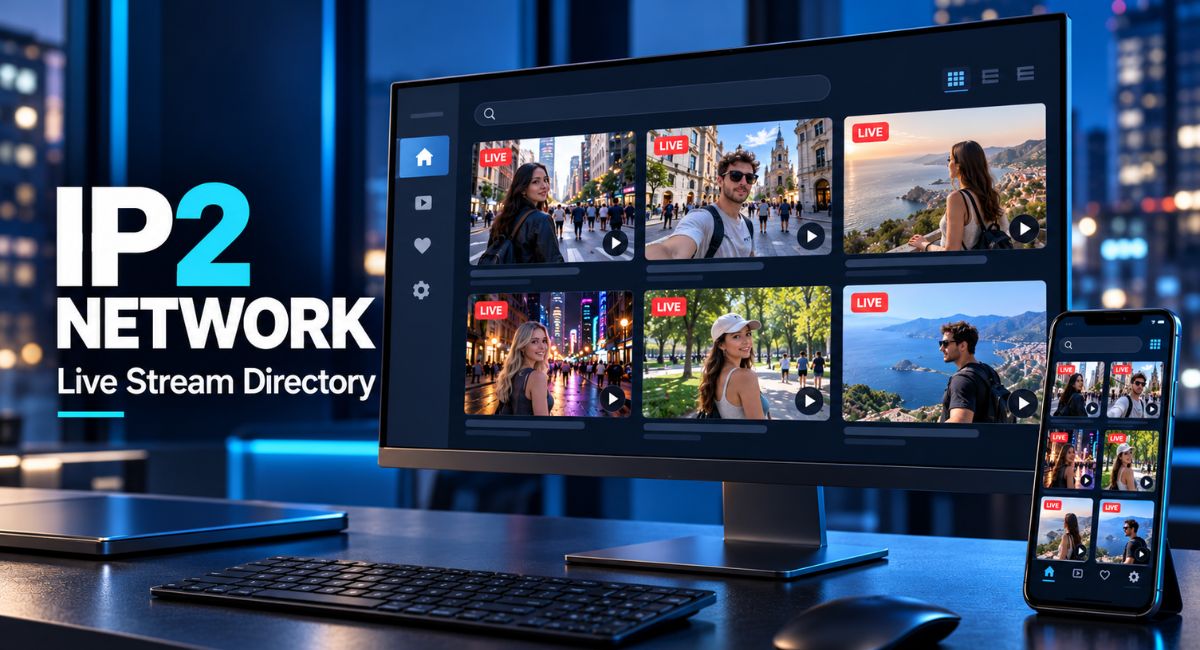
You hear about a streamer, open a video website, and discover that the channel is somewhere else. Finding a live broadcast can take longer than watching it. IP2 Network offers a starting point for this kind of search through its live stream directory. However, finding a channel and hosting its video are different jobs. Understanding that difference helps you read listings, choose a stream, and deal with playback problems. This guide explains the directory in simple terms, along with practical ways to use it without making assumptions about its features.
What the Directory Is Made to Do
IP2 Network is a website for finding live streamers. Its page describes a directory with channels connected to services such as YouTube, Twitch, Kick, Rumble, and DLive. Think of it as a signpost that helps you locate a broadcast. The place showing you where to watch does not necessarily run the service carrying the video. That distinction matters when you want to understand a channel link, a video player, or a request to sign in.
Imagine following several creators who broadcast on different websites. Visiting each channel separately means repeating the same search. A directory gives you another place to begin looking. Still, a listing should not be treated as proof that a creator is broadcasting, that a video will play, or that every channel you follow appears there. Use it to discover possible viewing options, then check the channel itself when you need more detail.
How IP2 Network Connects Viewers With Streams
The directory displays listings with live and offline labels. From a viewer’s point of view, the process begins with finding a channel, checking its status, and selecting an available viewing option. A link can take you to another service, while an embedded player can show video inside a different website. An embedded player is simply a video window placed within a page. Its presence does not mean that page owns or hosts the original broadcast.
The visible layout alone does not establish how channel information is collected or how quickly a status changes. Avoid assuming that every listing updates at the same speed. For example, a creator might end a broadcast just before you open a channel. If a status and a video disagree, visit the original channel to check. This is a practical way to confirm availability without depending entirely on one label.
How to Choose a Listing That Interests You
Start your IP2 Network visit with a clear idea of what you want to watch. You might prefer a conversation, a travel broadcast, or a creator you already know. Read any available channel name and title before selecting a stream. These details can help you make a first choice, although a title may not describe everything happening during a live session. Treat it as an introduction rather than a full description.
Give an unfamiliar broadcast a little time before deciding whether to stay. Listen to the topic and notice the style of conversation. If it does not suit you, return to browsing instead of opening many players at once. When you find a creator you enjoy, consider saving the original channel in your browser. That gives you a direct route next time, especially if the directory does not show the channel when you return.
What Live and Offline Labels Mean
Live and offline labels help visitors sort possible viewing choices. In general, a live label suggests that a channel is broadcasting, while an offline label suggests that no current broadcast is available. These labels are useful starting points, but they describe availability rather than quality. They do not tell you whether the sound is clear, whether the topic interests you, or how long the creator plans to continue.
An empty listing or a zero count also needs context. It could reflect a quiet moment, a page that has not loaded fully, or another issue. The number alone cannot tell you the cause. Refresh once and allow the page time to respond. If you are looking for a particular creator, check their channel directly. This is more useful than assuming that an empty directory means the creator has stopped streaming.
How Preview and Playback Controls Help
The IP2 Network page shows a Stream Preview area and controls labelled Preview on hover, Start muted, and Autoplay. These names suggest ways to manage the first part of viewing, although actual playback can depend on the browser and video service. A preview can help you judge a broadcast before spending more time on it. Starting with muted sound can also make browsing more comfortable when several people share the same room.
Try changing one control at a time so you can notice its effect. On a phone, a hover action may work differently because you use a touchscreen rather than a mouse. Autoplay may also behave differently across browsers. If nothing starts, try selecting the player yourself. Keep in mind that muting controls sound, not data use. A video can still use your connection while it plays silently.
Why Streaming Platforms Still Matter
IP2 Network helps with discovery, but the original streaming service remains important to the viewing experience. YouTube and Twitch both support video players that can appear within other websites. A player can therefore be visible on a directory page while the broadcast still comes from the original service. Video access, available playback controls, and some account features may depend on that service rather than the page surrounding the player.
For example, an embedded video might work while a chat feature requires another step or a separate login. If you want to follow a creator, subscribe, or use a service-specific feature, check where that action is taking place. Treat each account as belonging to its own website. Creating a directory account should not be taken as creating an account on every video platform connected to its listings.
Account Options and Password Recovery
IP2 Network shows login, registration, and password reset forms. The registration form asks for a username and password, with email shown as optional for account recovery. These visible forms tell you that account options exist. They do not, by themselves, confirm extra features such as saved favourites, custom alerts, or special access. Before registering for a particular benefit, check whether that benefit is actually described and available.
Choose a password that you do not reuse on another website. If you provide a recovery email, make sure it is an address you can access. A directory login should also be kept separate from the credentials used for your video accounts. If a page sends you elsewhere to sign in, read the destination carefully before entering details. A few moments spent checking the page can prevent avoidable confusion between different services.
Watching on a Phone and Managing Data Use
A smaller screen changes how you browse a directory. Channel names may take up more lines, controls can be harder to select, and a player can fill much of the display. Start with one stream and close players you no longer need. If a video offers a quality setting, try a lower option when the connection is slow. Picture quality may fall, but the broadcast can become easier to follow.
Video can use a large amount of mobile data over a long session. Turning off automatic playback, where that option works, can help you control when viewing begins. Remember that opening several tabs may leave more than one player active. Check your browser tabs before putting the phone away. For regular viewing, your device’s data settings can help you understand how much your browser uses over time.
What to Do When a Stream Will Not Load
First, work out whether the problem affects one broadcast or the whole page. Try another listing, then open the original channel if a suitable link is available. If the original video plays, the difficulty may involve the embedded player or the way the browser handles it. YouTube creators can disable embedding, and some age-restricted videos require viewers to continue on YouTube. This means a failed embedded player does not always mean the broadcast has ended.
If several videos fail, check your connection and try reloading the page once. A browser extension or a strict site setting may interfere with a player. Compare the result in another updated browser if needed. Read any error message before changing settings, and change only what you understand. Twitch embeds also have technical requirements, so some playback errors need a website fix. Repeatedly clicking play cannot solve every problem on the viewer’s side.
Main Benefits and Limits for Regular Viewers
The main appeal of IP2 Network is the chance to begin searching for streams from a shared directory. This can be convenient when the creators you follow use different services. A directory can also introduce you to a channel you would not have searched for by name. Its value depends on whether the available listings match your interests and whether they provide a useful route to the broadcasts you want.
The limits are just as important. Do not assume a directory includes every creator, keeps a complete video archive, or guarantees access to a listed stream. A creator may change platforms, stop a session, or remove a video. A listing also does not prove that the directory approves every statement made during a broadcast. Judge the content and the creator on what you actually see, rather than treating inclusion as a recommendation.
Choosing Content That Suits Your Viewing Time
Live content is different from an edited video because events develop while you watch. A broadcast might contain pauses, changes of topic, background noise, or long stretches with little activity. That can be part of its appeal, but it may not suit a short break. If you have only a few minutes, decide whether you want to sample a stream or save a channel for later.
Choose a viewing space that suits the content and the people around you. Using headphones can make a conversation easier to hear without disturbing others. Keep personal details out of public chat if you decide to join a discussion. You can watch without responding to every comment or request. These simple habits help you enjoy a live broadcast while keeping control of your attention and the information you share.
Why IP2 Network and I2P Are Different
The similar names can cause confusion, so check the spelling when searching. In this article, the topic is a live streamer directory. I2P, short for the Invisible Internet Project, is a separate project focused on private communication through an encrypted network. Its purpose is different from finding video channels. An explanation of I2P routing or privacy tools should therefore not be used as an explanation of how a streaming directory works.
The practical lesson is to connect each claim to the service being discussed. A name that sounds technical does not tell you what a website does. If an article moves from streamer listings to anonymous browsing without explaining the change, pause and check the context. For stream discovery, look for information about channels and viewing options. For privacy software, look for information about that specific project and its own setup requirements.
Conclusion
IP2 Network is easiest to understand as a starting point for finding live streamers. Read listings carefully, use preview controls where they work, and visit the original channel when you need to confirm availability or use platform features. Keep directory accounts separate from video service accounts, and avoid assuming that every listing guarantees a working broadcast. With these habits, you can spend less time guessing how the page works and more time choosing content that interests you.
(FAQ’s)
1. What Is IP2 Network?
It is a live streamer directory that helps visitors find channels associated with different video services.
2. Does a Live Label Guarantee Playback?
No. A broadcast may end, or a player may have an access or loading problem.
3. Does Registration Create Accounts on Other Platforms?
No. Treat your directory account and each video platform account as separate logins.
4. Why Might a Video Open on Its Original Website?
Playback rules or account requirements can make direct viewing necessary.
5. Is I2P the Same as the Streaming Directory?
No. I2P is a separate project for private network communication.
You may also read: Cartetach Smart Card Claims and What They Could Mean for Users
Visit for more additional information: Loom Magazine